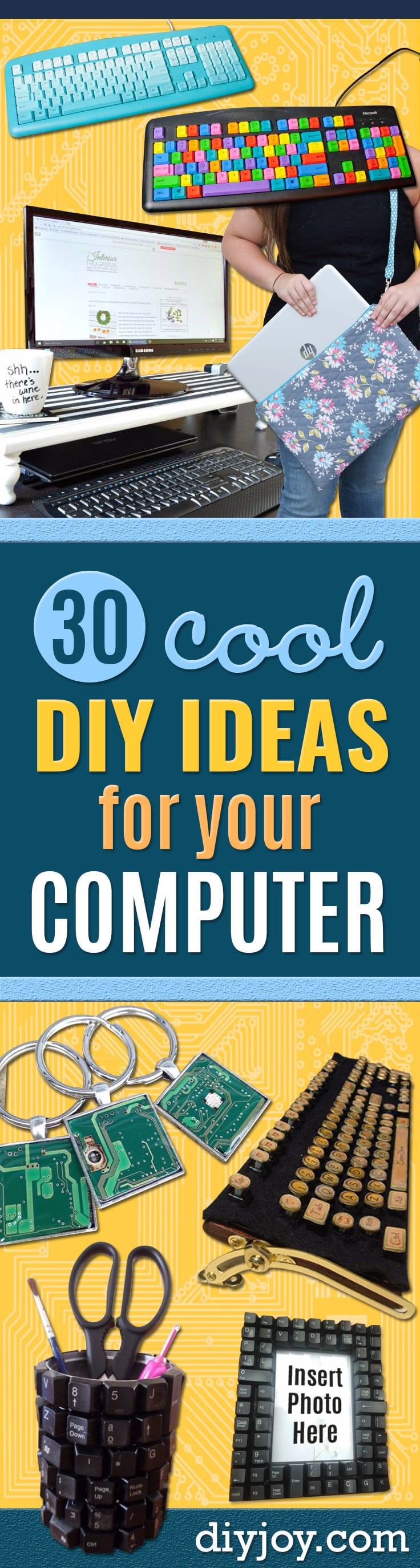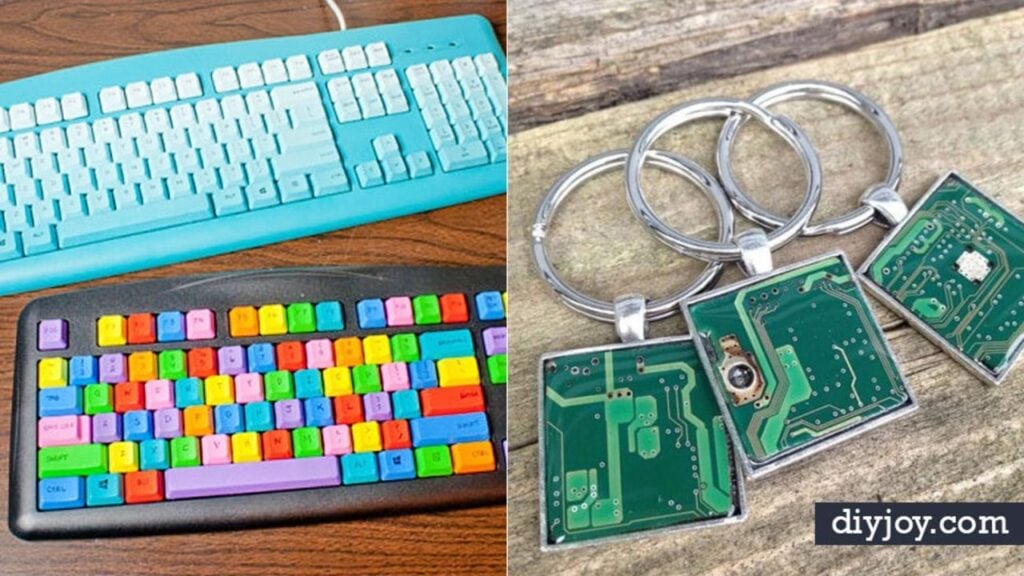
I have replaced computer displays and computer batteries with my own two hands, so a roundup of DIY ideas for your computer feels like home turf. Some of these are projects. A monitor stand you build from one board and four peg legs, a keyboard painted in eight colors, photo frames edged in salvaged keys, a cat house living inside a gutted CRT. Some of them are fixes, the unglamorous kind that make a five year old laptop feel new again: getting the VHS home videos onto a hard drive before the tape gives up, cleaning a machine that has quietly picked something up, building a desktop for a third of what the same machine costs in a shop. You will also find desk builds you size to your own room, a filing system that survives tax season and a few small crafts for the parts drawer. Perfect for a home office, a first dorm setup, a classroom cart or the person who owns nine chargers and can name none of them.
1. Declutter Your Computer

Digital clutter weighs nothing and still manages to be exhausting, and Plant Based Bride treats the machine like a room that needs a clear-out. The desktop stays empty except for what you are actively working on, the dock gets cut back to the handful of apps you really open, and then the contacts list loses every number you have not used in a decade. It is the unsentimental part that makes it stick. An hour of deleting buys months of finding things on the first try.
Get the full tutorial at Plant Based Bride.
2. Organize Your Computer Desktop
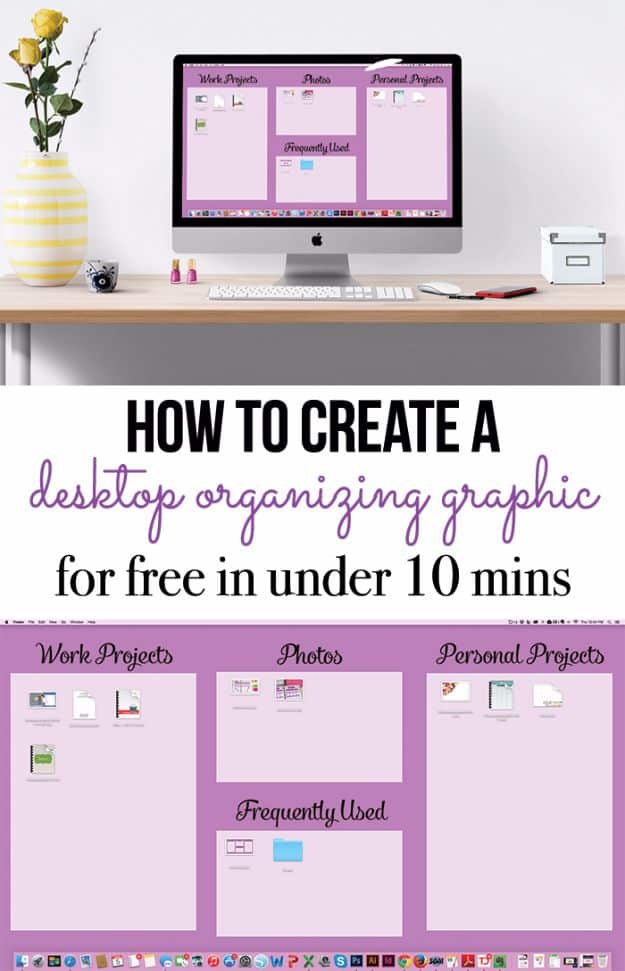
This is the wallpaper trick, and it is genuinely clever. You make a background image with labeled boxes on it, work projects, photos, frequently used, then drag your icons into the right box. Get Organized HQ built hers in PicMonkey in about ten minutes, and then cleans the desktop up once a week to keep it honest. Check your screen resolution before you start or the boxes land in the wrong places. The icons are still icons. They just finally live somewhere, and you can see at a glance what is waiting on you.
Get the full tutorial at Get Organized HQ.
3. Use a Split Screen to Increase Productivity in the Classroom

Everyone owns split screen and almost nobody uses it. The Techie Teacher lays out the shortcut for each machine: on a Chromebook press Alt and the left bracket to snap a window left, Alt and the right bracket to snap it right, then drag the second tab into the empty half. On a Mac you hold the green full screen button and slide the window to one side. She wrote it for third graders copying from a source onto a worksheet, and it retires the alt-tab shuffle for adults just as fast.
Get the full tutorial at The Techie Teacher.
4. Custom Computer For Under $800
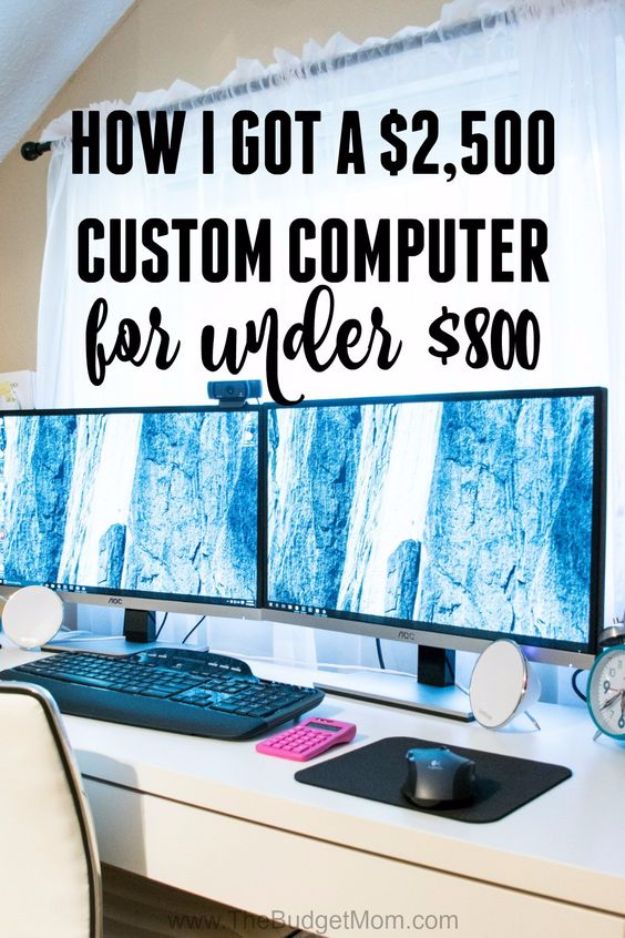
The Budget Mom priced a machine that quoted at around 2,500 dollars in a big box store and put the same specification together for under 800, and the write up is a shopping discipline post more than a hardware post. Money goes into the processor, the memory and the storage. It does not go into the case, the lights or the brand name on the front. She lists every part she bought and what each one cost, so you can price the same build today instead of taking one total on faith.
Get the full tutorial at The Budget Mom.
5. Easy DIY Computer Stand
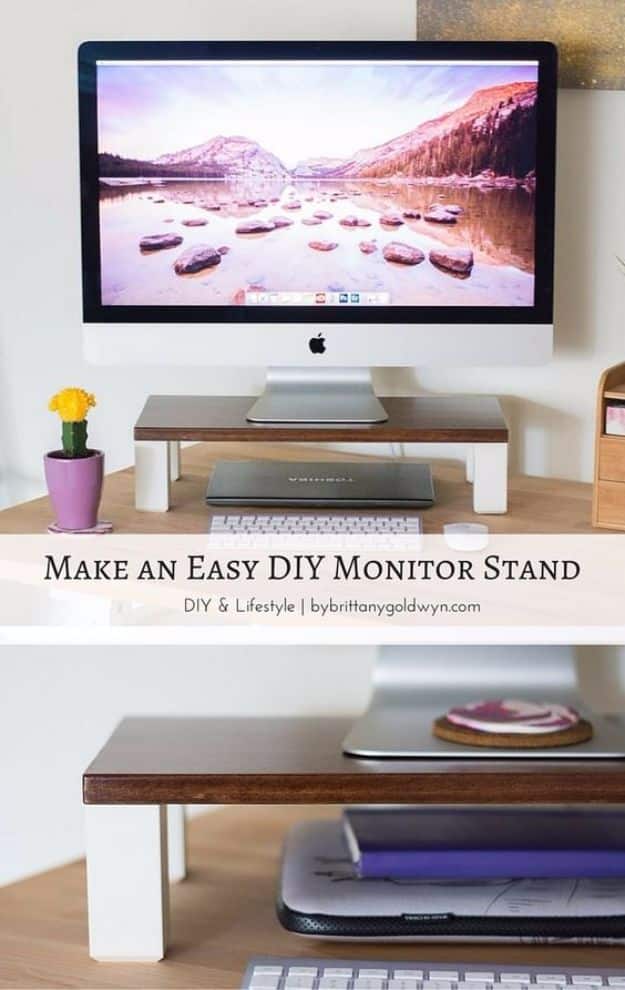
One piece of pine, 10 inches by 20, four Ikea Stubbarp peg legs and some Liquid Nails. That is the entire list for this monitor riser, and Brittany Goldwyn had Home Depot cut the board to size in the store so there was no sawing at home at all. She sanded with 220 grit, stained it in English Chestnut and finished with three coats of polyurethane. The laptop slides underneath, the screen comes up to eye height and the whole thing looks bought rather than built.
Get the full tutorial at By Brittany Goldwyn.
6. Clean up your Computer Desktop
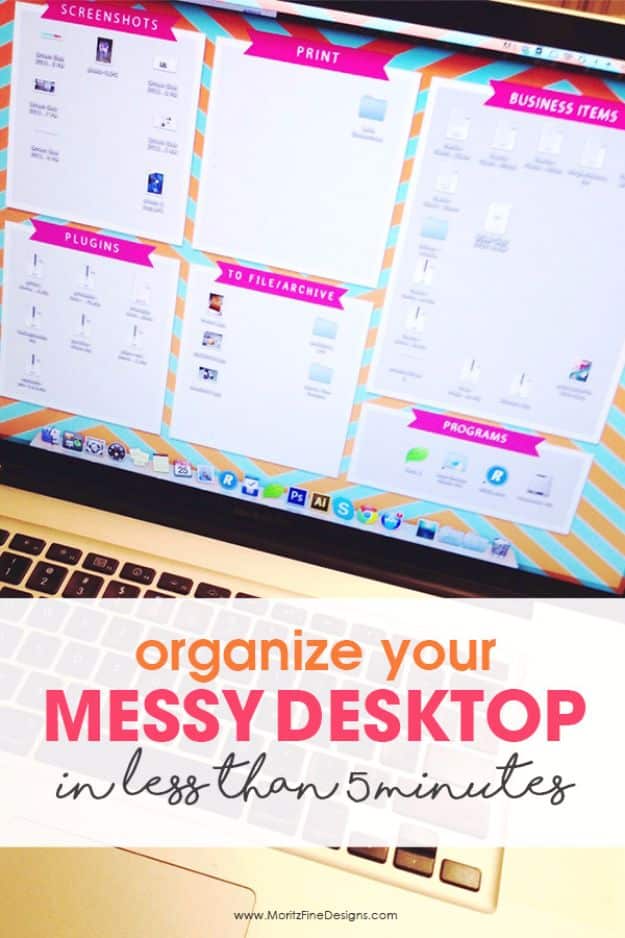
Moritz Fine Designs takes the same wallpaper idea and hands you the file. You check your screen resolution first, on a Mac through System Preferences and Displays, on a PC through Control Panel, then download her free organizer background in that exact size so the zones land where they should. Hers is divided into screenshots, print, business items, plugins, to file and programs, which is a more work-shaped set of headings than most. Free, five minutes, and the desktop stops being a place things go to disappear.
Get the full tutorial at Moritz Fine Designs.
7. DIY Tin Can Desk Organizer
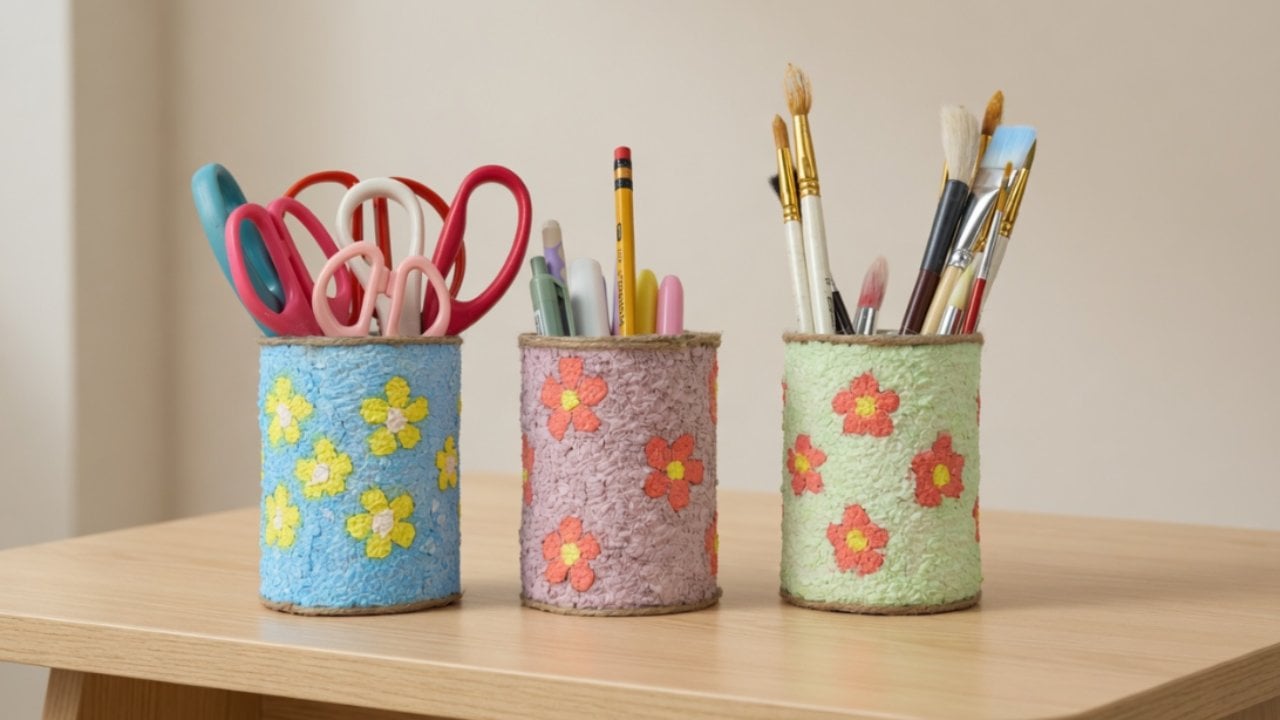
Empty tin cans, tissue paper and glue turn into a desk organizer with a handmade, slightly textured surface that hides the fact it used to hold tomatoes. You tear tissue into pieces, soak it in water until it softens, squeeze it out and mash it into a pulp, then mix in glue and paint so the color runs all the way through. That paste gets pressed onto the can. Pick whatever colors match your desk; the floral version is just one option.
Get the full tutorial at DIY Joy.
8. Pipe Cleaner Flower Vine Charger Cord
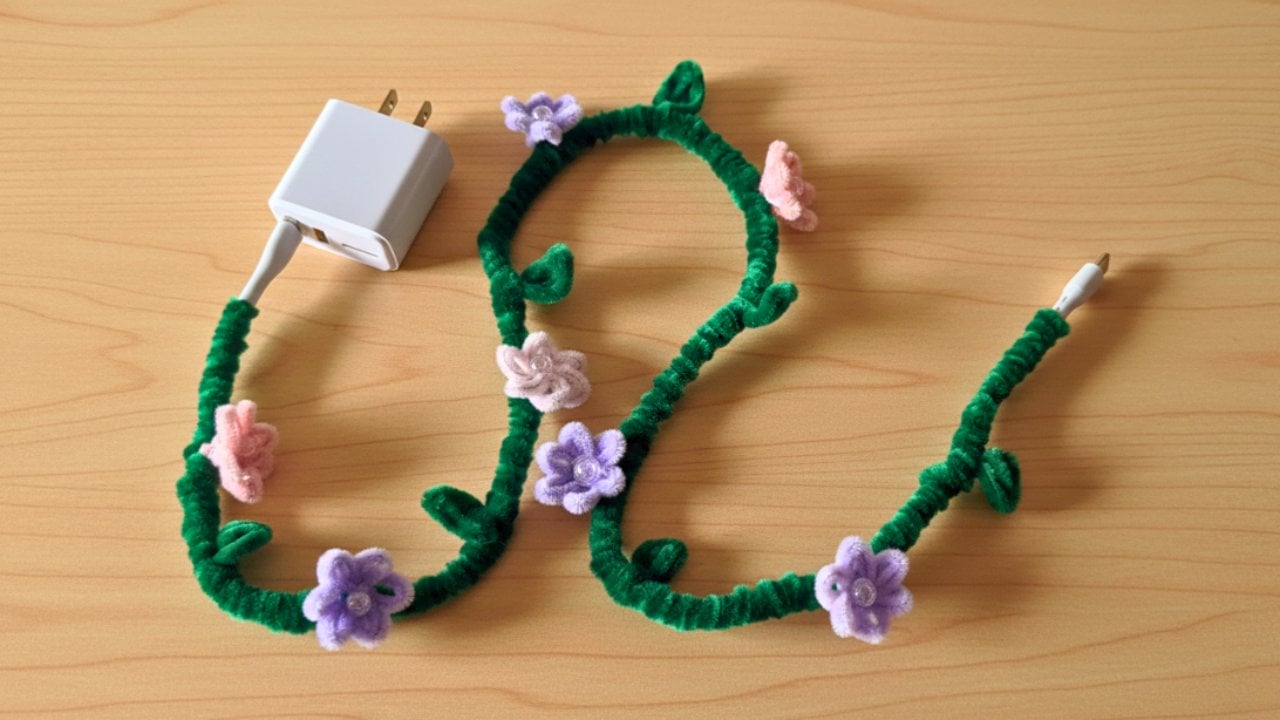
Charger cables always fail in the same place, right where the cord meets the plug, because that is where all the bending happens. Wrapping green pipe cleaners tightly along the wire adds a layer of support exactly there, so the cord holds its shape instead of folding sharply and fraying. Small flowers and leaves twist straight into the wrap to lock it in place, which is how a repair ends up looking deliberate. No tools, no tape and nothing you have to take off to charge your phone.
Get the full tutorial at DIY Joy.
9. Get Your Old Home Videos Onto The Computer
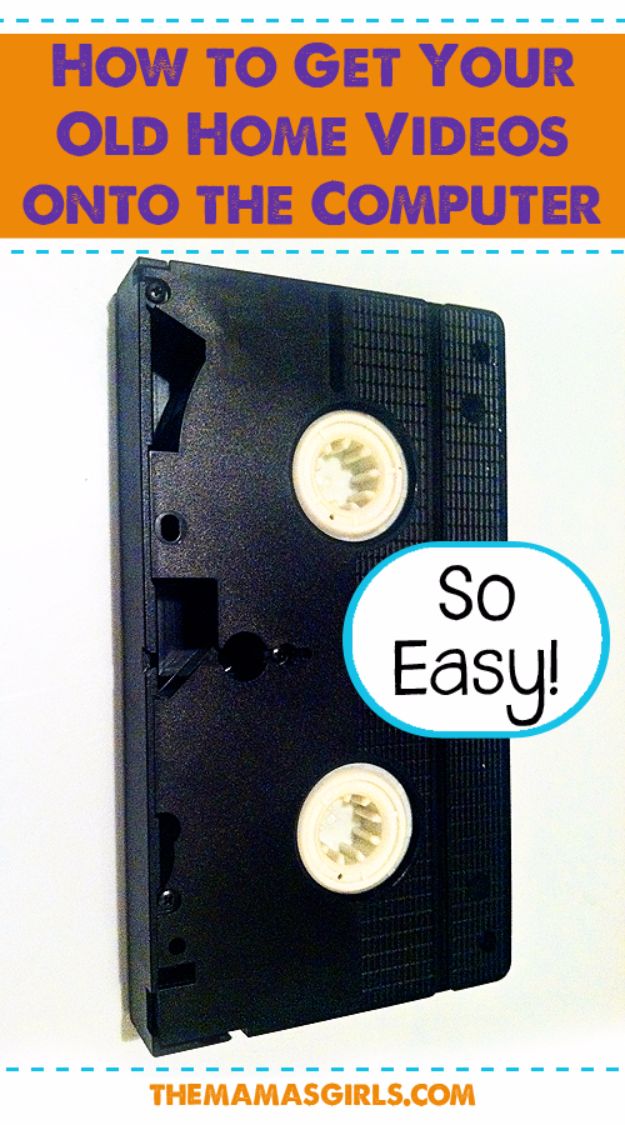
The camcorder tapes in the closet are quietly degrading, and this is the weekend that beats them to it. The Mamas Girls skipped the transfer service and bought a video capture cord with software included, which records from a VHS deck, a DVD player or a camcorder straight to the computer. One cord, one afternoon, and the 1994 birthday party turns into a file every sibling can have a copy of. There is a Mac version and a Windows version, so check which one you are buying.
Get the full tutorial at TheMamasGirls.
10. Build Your Own DIY Computer Gaming Desk
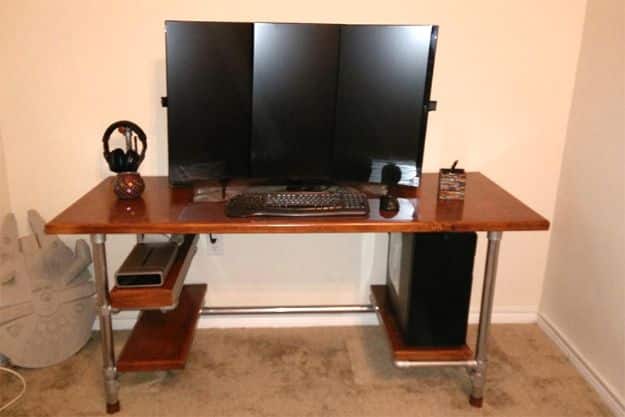
Simplified Building makes structural pipe fittings, and this desk is built from them: pipe, Kee Klamp slip-on fittings and a furniture grade birch top, tightened with a hex key. No welding and no cut joints, and because the frame is modular you size it to the room and the person rather than to a flat pack drawing. The photo shows three monitors across the back, a lower shelf for gear and the tower standing beside one leg. It does not shiver, which is the whole point of building instead of buying.
Get the full tutorial at Simplified Building.
11. Reuse Old Computer Parts
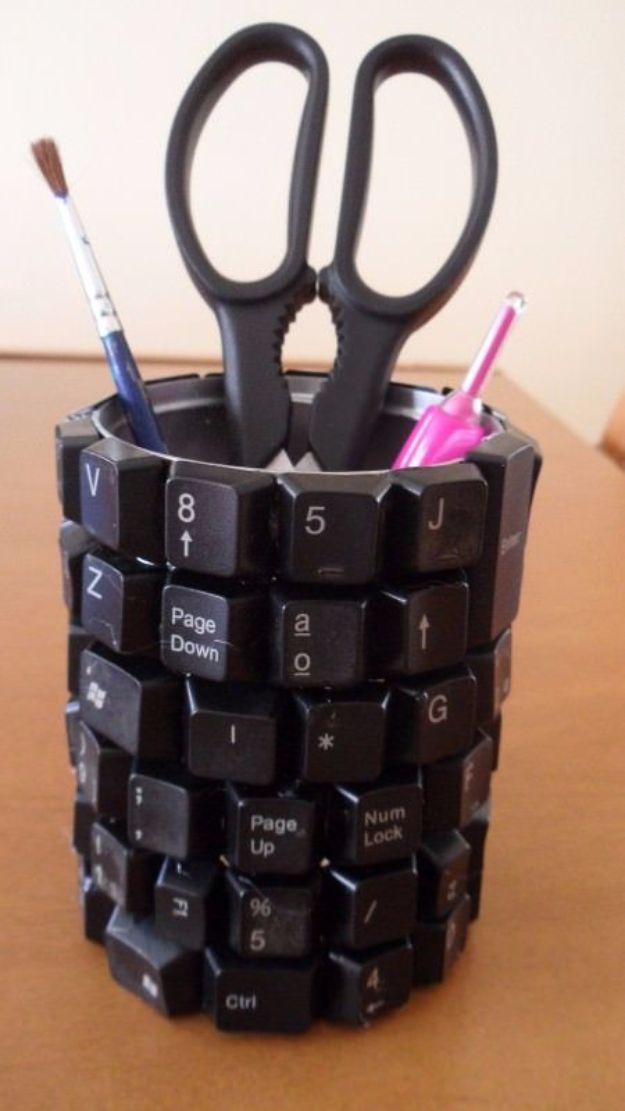
Recyclart collects the best second lives for a dead machine, and the one pictured is the easiest place to start: keycaps prised off an old keyboard and glued around a tin until it becomes a pen cup with a QWERTY personality. The rest of the roundup runs to desks built from two old towers with a glass top, coffee tables, and picture frames edged in the same salvaged keys. E-waste is the fastest growing trash stream on the planet. Pulling the pretty parts out first is the least you can do with it.
Get the full tutorial at Recyclart.
12. DIY Colorful Computer Keyboard
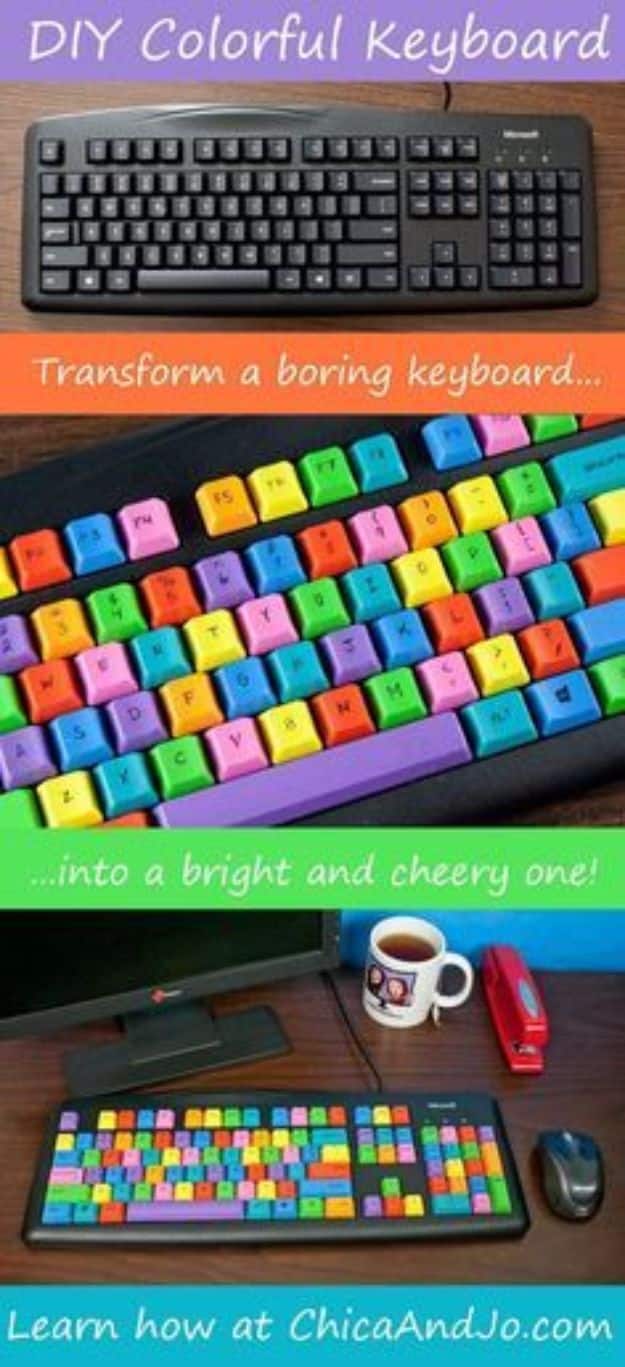
Chica painted a plain black board in eight DecoArt Americana Multi-Surface satin colors, Canary, Flamingo, Deep Turquoise, Orange Sherbet, Poppy, Apple Green, Blue Bird and Iris, and the result is a keyboard that makes a desk feel less like an office. Two things make or break it. Buy a board with flat printed letters rather than raised ones, because raised type shows through the paint. And photograph the layout before you pull a single key, because putting them back is the part that goes wrong.
Get the full tutorial at Chica and Jo.
13. Build A Computer From Scratch
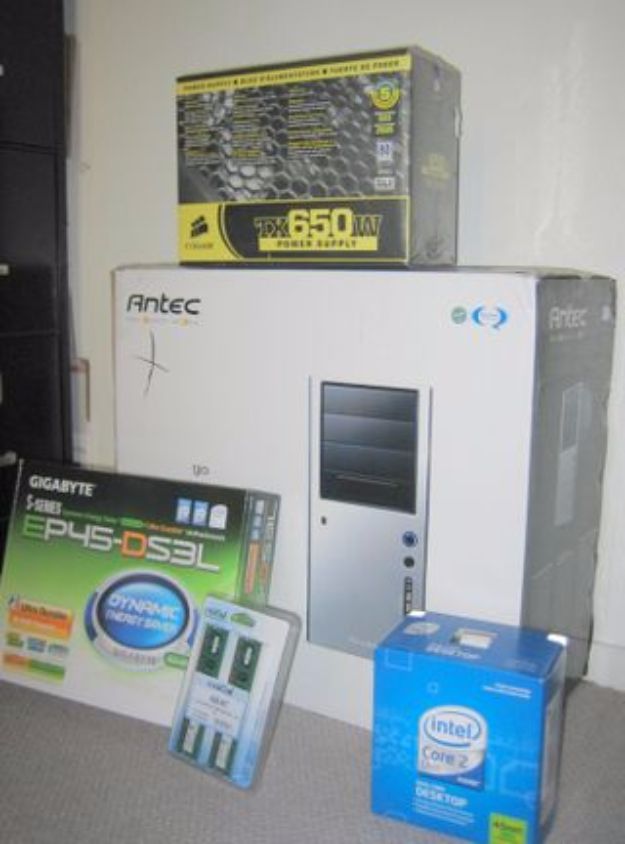
Gina Trapani wrote Lifehacker’s first timer guide after building her own machine as, in her words, more of a software person than a hardware one, and that is exactly why it reads well for a beginner. It covers why you would build rather than buy, how to pick parts that are actually compatible, static precautions and cable management. If you have ever swapped a hard drive you already have most of the nerve you need. The first boot of a machine you assembled yourself is a genuinely good feeling.
Get the full tutorial at Lifehacker.
14. DIY Old Computer Cat Houses
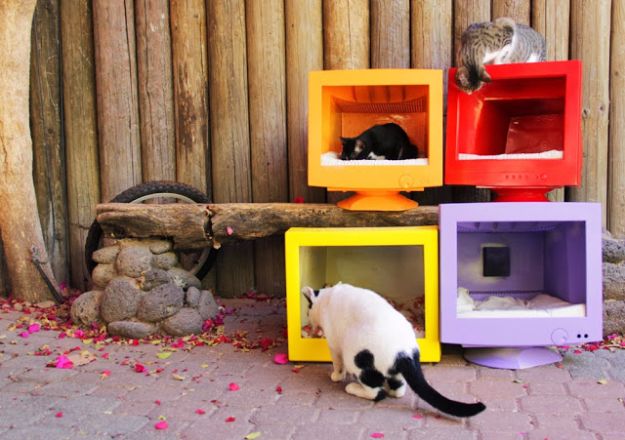
Somebody gutted a row of old CRT monitors, painted the shells orange, red, yellow and purple, cushioned the insides and set them out along a wall, and the cats moved in immediately. The screen opening makes a door that is already the right size and shape, and the deep case makes the sort of enclosed cave cats prefer to any open bed. The source posts photos rather than steps, with a cheerful note that no instructions are needed. Look at the picture and you will see she is right.
Get the full tutorial at Miki's Design.
15. Computer Keyboard Photo Frame
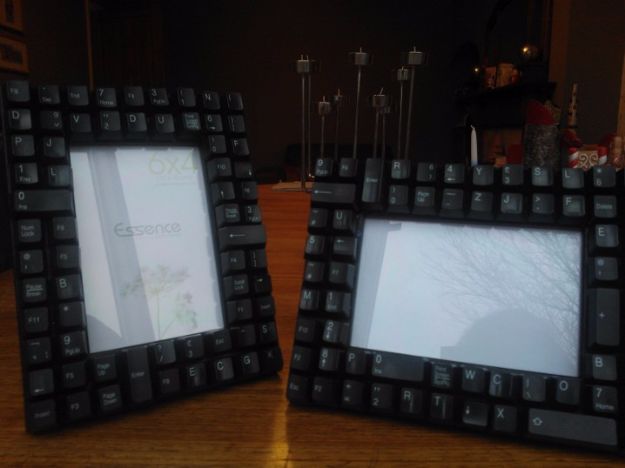
Hannah Ackroyd made these as a Christmas present for her boyfriend, which is a good clue about who they suit: men are hard to make things for, and this is a handmade gift that does not read as crafty. Unscrew the back of a dead keyboard, push the keys out from inside, wash them, then sand and paint a plain frame black and hot glue the keys around the border. She took a few keys shopping with her to check they would sit along both sides without gaps. Buy the frame second.
Get the full tutorial at Handmade by Hannah.
16. DIY Colored Paper Pen Holder
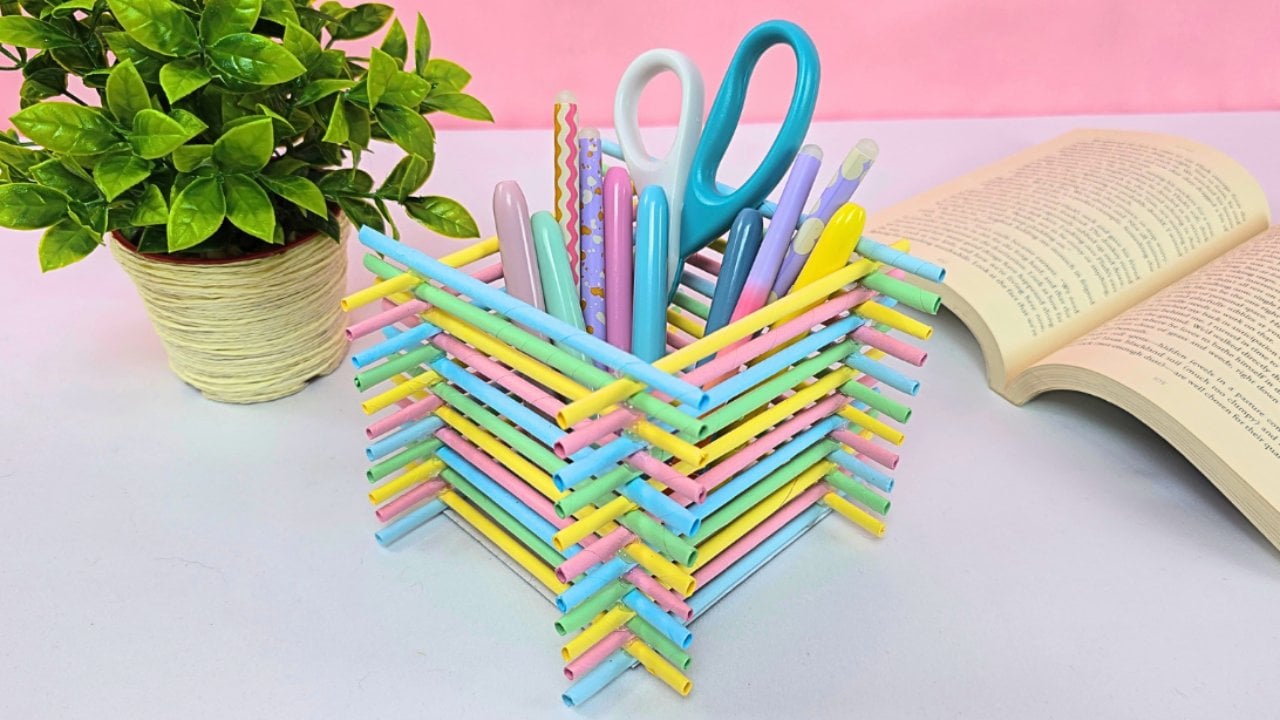
Colored paper rolled tightly around a thin skewer makes a tube, and enough tubes stacked into a square make a pen holder that is far sturdier than paper has any right to be. Roll on the diagonal from the corner, glue the flap down to seal it, then snip the sharp tip off to square the end. A pair of tubes gets glued along opposite edges of a four inch cardboard base, then another pair on top, alternating colors as the walls go up. Supplies are colored paper, cardboard, hot glue and scissors.
Get the full tutorial at DIY Joy.
17. Computer Filing System
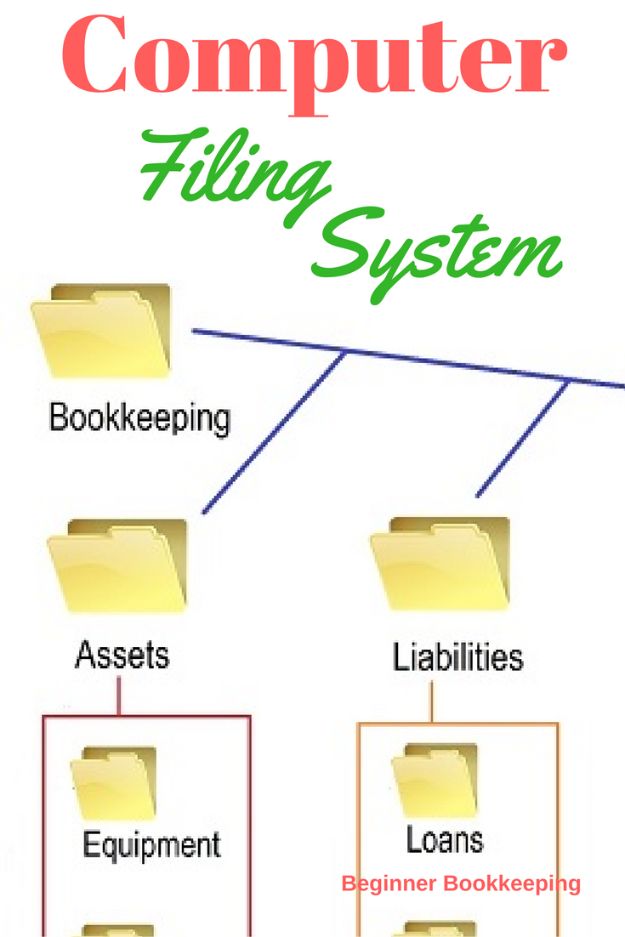
Beginner Bookkeeping builds the folder tree a bookkeeper would actually defend in an audit, and it works just as well for a household as for a business. Paper receipts get scanned or photographed on a phone and dropped in. The structure branches into bookkeeping, assets, liabilities, equipment and loans, so a document has one obvious home. Two rules keep it alive: back up the drive daily to something removable that lives somewhere else, and give every file the same naming pattern on the way in.
Get the full tutorial at Beginner Bookkeeping.
18. Clean a Computer that's Infected with Virus or Malware

German Pearls writes for people who are not technical and are currently frightened, which is the right audience for this. She starts with how to tell whether that popup is real, using an example where the giveaway was a phone number to call a certified technician, and goes on to say that searching the number usually settles the question in seconds. Then comes the cleanup itself, in order, with screenshots at every step. Worth bookmarking now rather than hunting for it at eleven at night.
Get the full tutorial at German Pearls.
19. Organize Pictures On Your Computer

The Organized Mama is a professional organizer and she runs a camera roll the way she runs a closet. Everything comes out, it gets sorted into broad dumping folders first, one per family member plus one for the pets and one for pictures of the kids together, and only then does it get refined into events and holidays as you go. She had over eleven thousand photos when she wrote it and admits she had been putting the job off for years. That honesty is the useful part.
Get the full tutorial at The Organized Mama.
20. Tiny DIY Beaded Vine Desk Plant

A mini terra cotta pot, a block of styrofoam, floral wire and a handful of beads make a plant that never needs watering and never drops a leaf on the keyboard. The foam goes in the pot, a wire runs down through the middle to anchor everything, then beaded vines of different lengths get shaped and pushed in around it, with fake moss covering the base. Use glass beads and set it where the afternoon light hits and it doubles as a small suncatcher.
Get the full tutorial at DIY Joy.
21. Build An Ergonomic Computer Desk
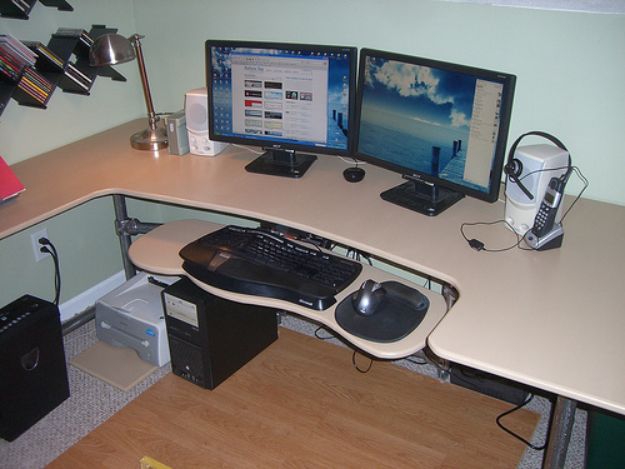
Same fittings system as the gaming desk, different brief. This one is a corner desk built from slip-on pipe fittings and a fence post, with an articulating keyboard unit that swings the tray out from under the top and back again. Because the frame bolts together instead of being welded, you build it around the corner you actually have rather than around a catalog footprint, and you can take it apart and rebuild it when the room changes. The photo carries two monitors, a lamp and a headset with room left over.
Get the full tutorial at Simplified Building.
22. DIY Laptop Bag
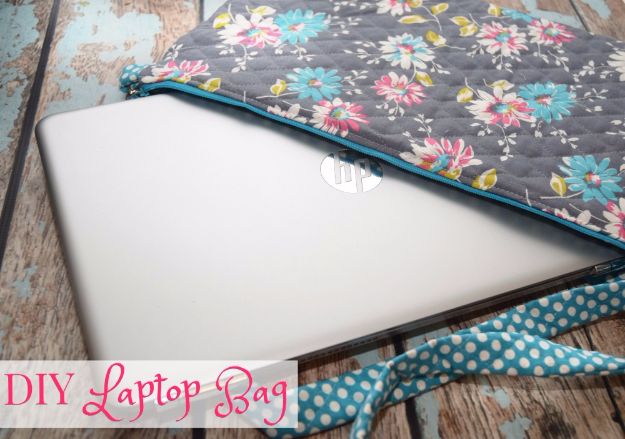
Stephanie Pass drafted this pattern around her daughter’s 15.6 inch HP Pavilion, roughly 9.5 inches deep by just over 15 wide, and cut her pieces at 11 by 17 to allow for the seam allowance and the thickness of the machine. Her rule for resizing is the useful bit: add about 1.5 to 2 inches to your own laptop’s length and width. It has a zipper and swivel hooks, so the strap comes off and it turns from a crossbody bag into a padded sleeve that slides into a backpack.
Get the full tutorial at The TipToe Fairy.